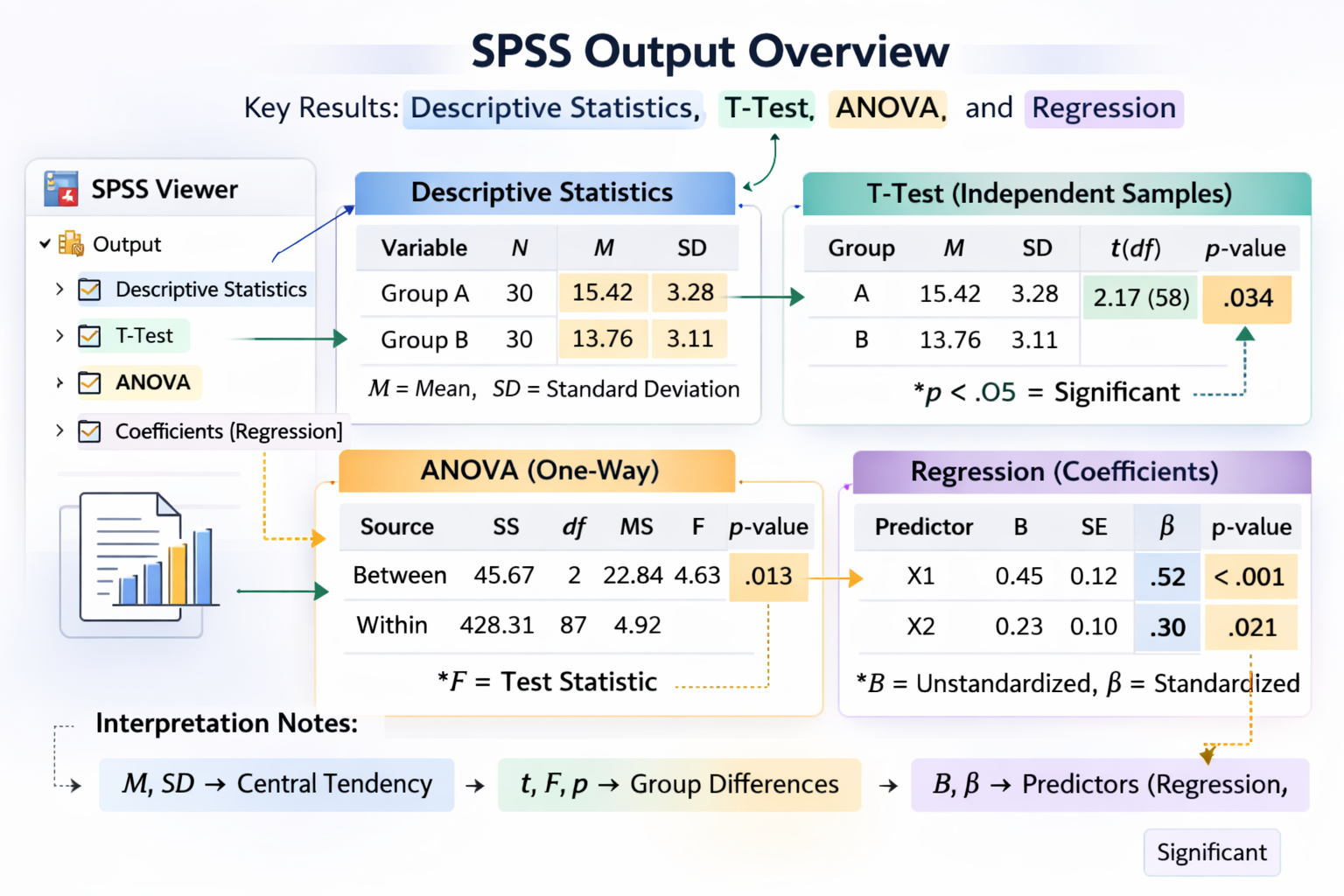
SPSS is one of the most widely used statistical software packages in university research. From undergraduate projects to postgraduate dissertations, students across disciplines are required to analyse data using SPSS and interpret statistical outputs correctly. Searching for SPSS assignment help often reflects a deeper need: understanding not just how to click buttons, but how to interpret, explain, and report statistical findings academically.
Many students struggle with SPSS assignments because statistical output can appear overwhelming. Tables filled with coefficients, p-values, significance levels, and assumptions may seem complex. However, with structured guidance and clear interpretation principles, SPSS analysis becomes manageable and academically rewarding. This guide explains how to approach SPSS assignments strategically, interpret results correctly, and present findings with methodological credibility.
Understanding What SPSS Assignments Require
Before running any analysis, students must carefully read the assignment brief. SPSS assignments typically assess both technical competence and interpretative understanding. Examiners are not only interested in correct output but also in accurate explanation of statistical meaning.
SPSS assignments test interpretation and reporting skills—not just software operation.
Common SPSS assignment tasks include descriptive statistics, t-tests, ANOVA, correlation analysis, regression analysis, and reliability testing. Understanding the research question is the first step in selecting the correct statistical test.
Common SPSS Analyses in University Coursework
Different assignments require different statistical tests. Choosing the appropriate test depends on the type of variables and research objectives.
| Statistical Test | Purpose | Example Scenario |
|---|---|---|
| Descriptive Statistics | Summarise data | Mean age of participants |
| T-Test | Compare two groups | Male vs female scores |
| ANOVA | Compare three or more groups | Different teaching methods |
| Correlation | Examine relationships | Study hours and GPA |
| Regression | Predict outcomes | Income predicting spending habits |
| Cronbach’s Alpha | Assess reliability | Internal consistency of a survey scale |
Accurate selection of tests ensures methodological correctness and prevents mark deductions.
How to Interpret SPSS Output Correctly
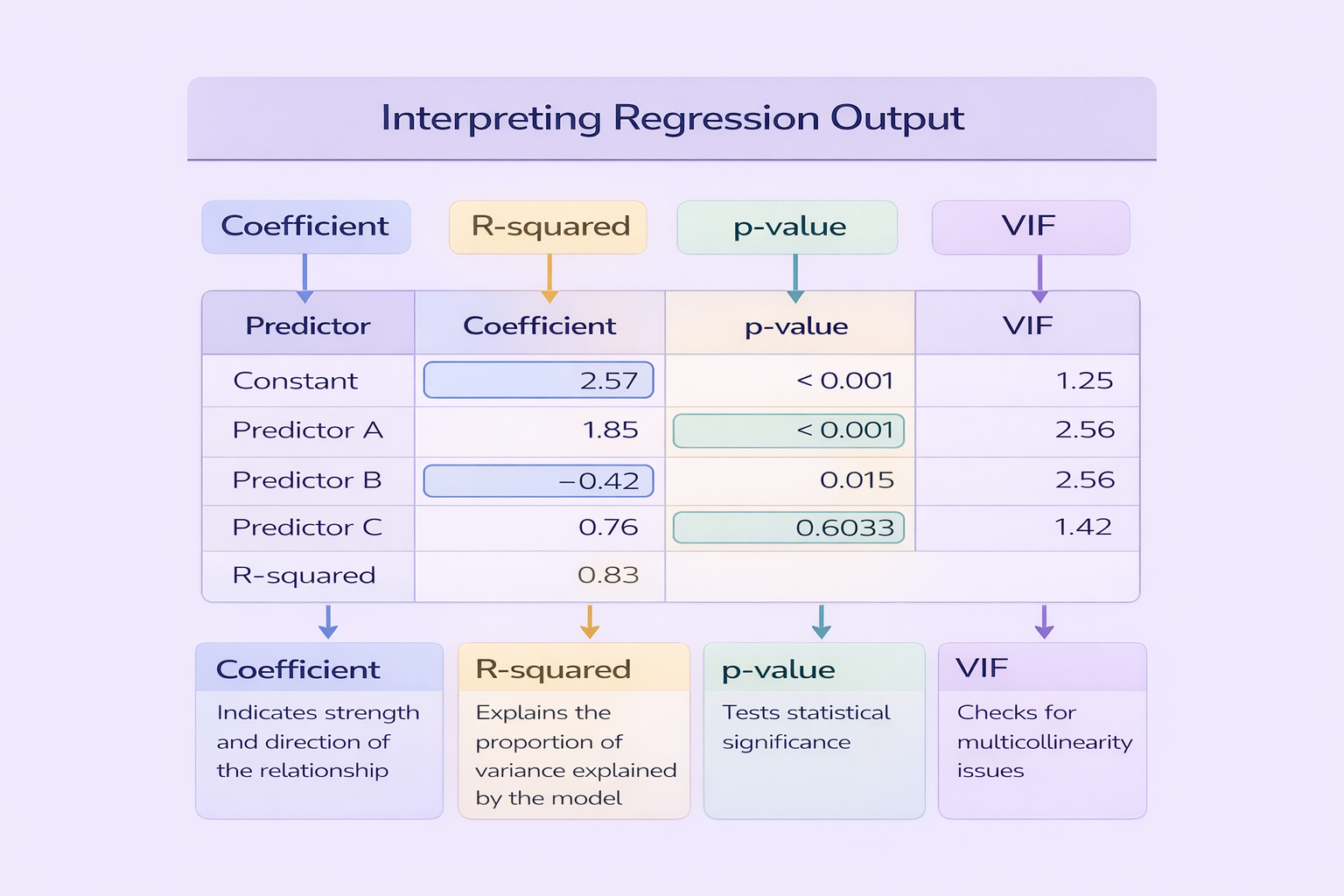
SPSS generates detailed output tables. Students must focus on key components relevant to the test conducted. For example, in a t-test, attention should be given to the t-value, degrees of freedom, and p-value. In regression analysis, coefficients, R-squared, and significance levels are essential.
When interpreting output:
- Identify the main test statistic (t, F, r, or B).
- Examine the p-value to determine statistical significance.
- Interpret effect sizes when available.
- Relate findings back to the research question.
Interpretation should always move beyond stating numbers to explaining what they mean in context.
Reporting SPSS Results in Academic Format
Proper reporting is critical in SPSS assignments. Results should follow academic conventions, often guided by APA or institutional standards. Statistical values should be integrated into sentences rather than copied directly from SPSS output tables.
For example:
An independent samples t-test revealed a significant difference in stress levels between male and female students, t(98) = 2.45, p = .016.
This format demonstrates clarity, conciseness, and academic professionalism.
Checking Assumptions Before Interpretation
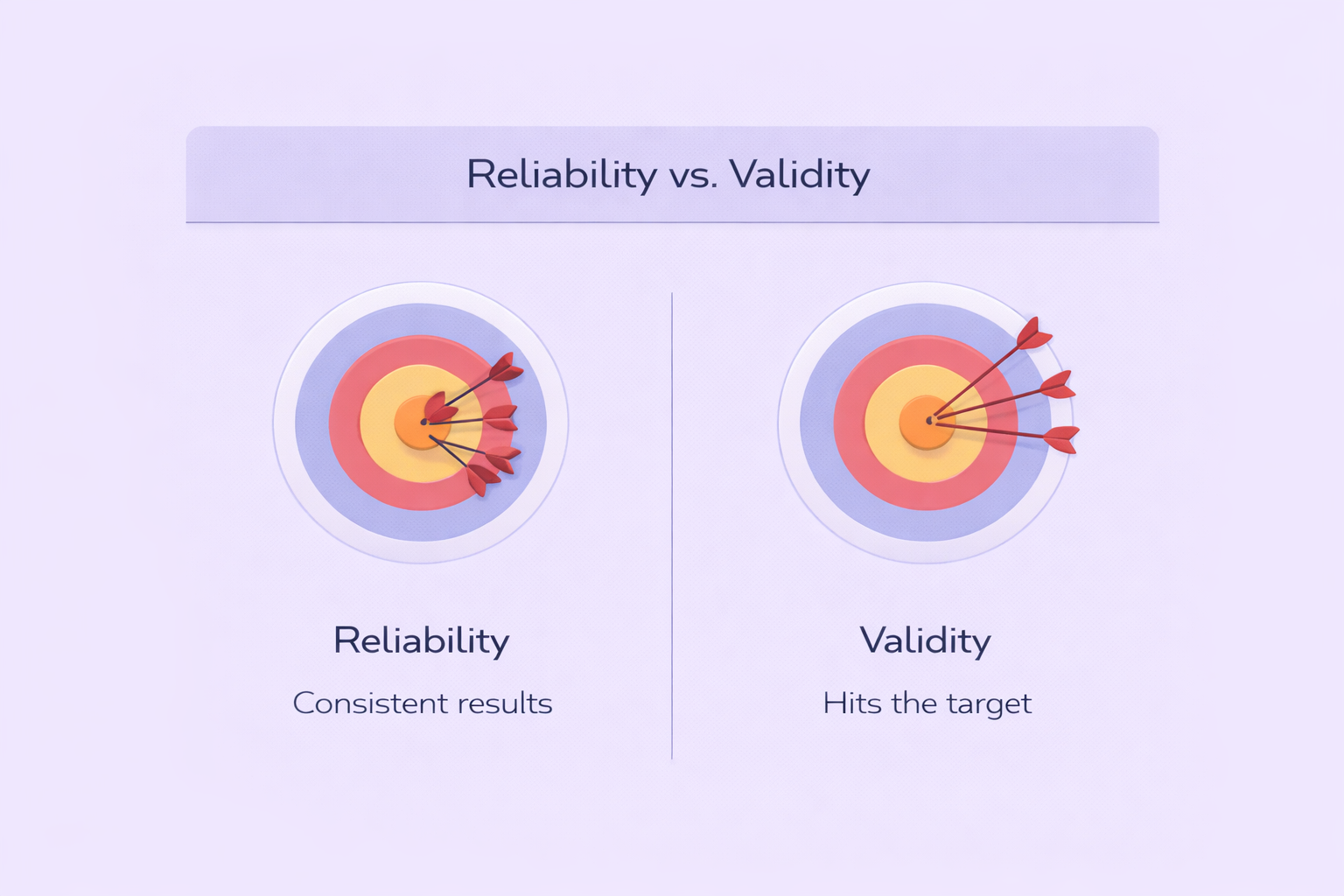
Statistical tests rely on assumptions. Failing to check these assumptions can invalidate findings. For example, t-tests and ANOVA require normal distribution and homogeneity of variance. Regression analysis requires linearity, independence, and absence of multicollinearity.
Never report statistical results without confirming that assumptions have been tested.
Including assumption checks in your methodology section strengthens academic credibility and demonstrates analytical competence.
Common Mistakes in SPSS Assignments
Several recurring errors reduce marks in SPSS coursework:
- Copying raw SPSS tables without interpretation.
- Reporting p-values without explaining their meaning.
- Ignoring effect sizes.
- Failing to check assumptions.
- Using incorrect statistical tests.
Avoiding these mistakes ensures methodological rigour and improves overall academic performance.
Structuring an SPSS Assignment Effectively
A well-structured SPSS assignment typically includes:
- Introduction and research question.
- Description of data and variables.
- Explanation of chosen statistical tests.
- Results section with interpreted findings.
- Discussion linking results to theory.
Clear structure enhances readability and demonstrates analytical coherence.
Ethical and Academic Considerations in SPSS Help
Seeking SPSS assignment help should focus on improving understanding rather than outsourcing learning. Ethical academic support involves guidance on analysis, interpretation, and reporting while maintaining academic integrity.
Students should aim to develop statistical literacy rather than rely solely on technical execution. Understanding output ensures long-term research competence.
Developing Confidence in SPSS for Academic Success
SPSS assignments often appear intimidating, but with structured preparation and careful interpretation, they become manageable. Mastery involves understanding the logic behind statistical tests, interpreting outputs clearly, and presenting findings in professional academic language.
By approaching SPSS analysis systematically and critically, students strengthen both their research skills and academic performance. Developing competence in SPSS not only supports successful coursework and dissertations but also builds valuable analytical skills for future professional research environments.
Comments